Markdown and variables: syntax reference
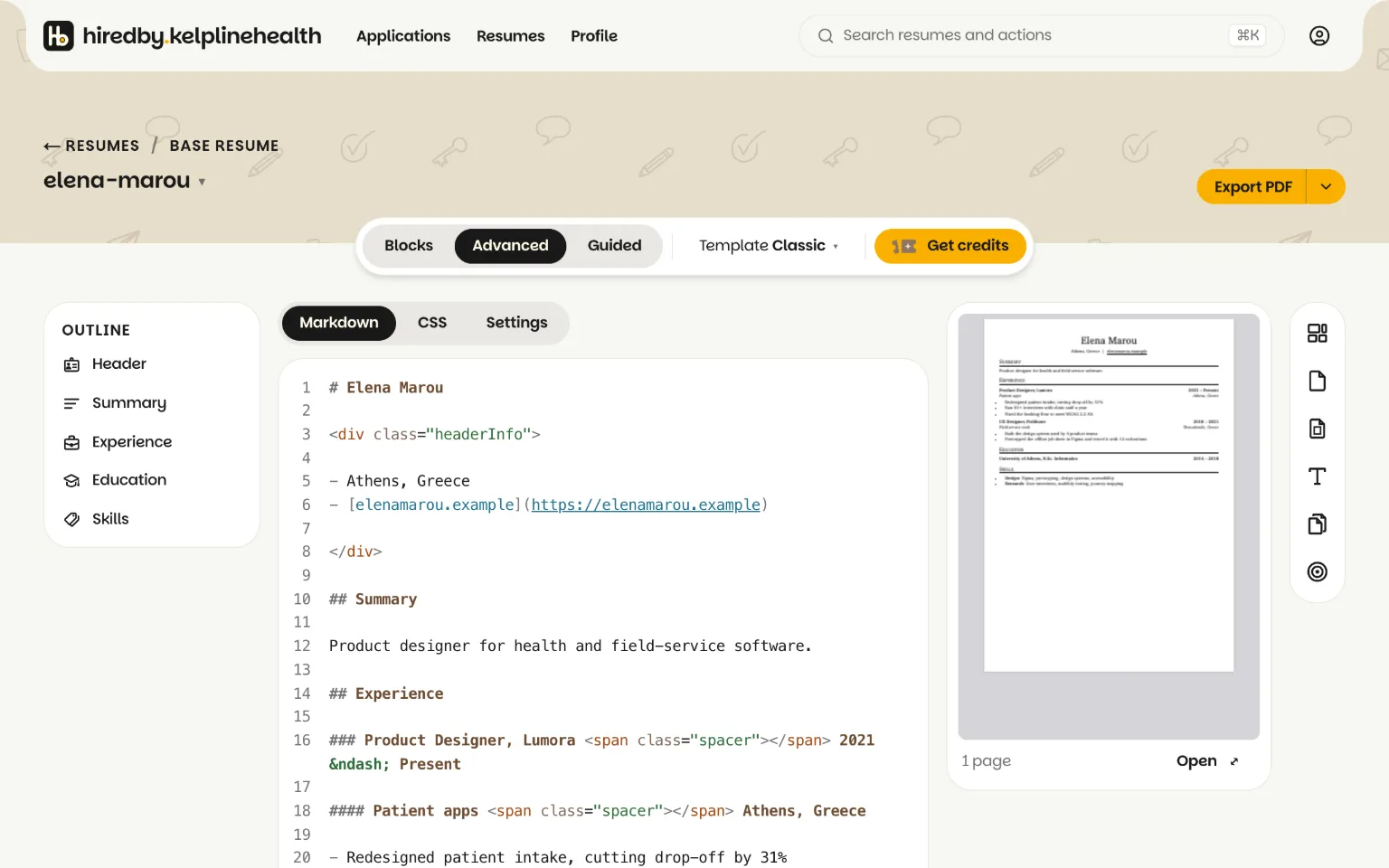
In Advanced, your words live in the Markdown tab and the look lives in the CSS tab. This is everything the Markdown tab understands.
Write sections, jobs and links in Markdown
Write the content of your resume in the Markdown tab. A heading per section, a smaller heading per job, a list for what you did there.
# Your Name
## Experience
### Job title, Company
- What you did and the result

**bold**, _italic_, [link text](example.com)

---
Leave a blank line between paragraphs. Links without https:// get it added, and bare email addresses become mailto: links.
Lay out a line with inline HTML
Use HTML for layout that Markdown cannot express, and style it in the CSS tab.
### Engineer, Acme <span class="spacer"></span> 2022 – Present
<div class="headerInfo">
- +30 690 000 0000
- [me@example.com](me@example.com)
</div>The spacer pushes the dates to the right edge. Leave blank lines around Markdown inside a <div> so it is still read as Markdown.
Hide a line without deleting it
Wrap anything you want to keep but not show in an HTML comment.
<!--
### Old job
- Kept for later
-->
Comments never reach the preview, the print or the PDF. Comments cannot be nested, so the preview shows an error if it finds a stray -->.
Write a value once with variables
A variable is a name that stands for a value, so a value you repeat, or one that differs per job, is written in one place. Define your own at the top of the Markdown with an @ line and use them as {NAME}.
@EMAIL=me@example.com
@CITY=Athens

[{EMAIL}]({EMAIL}) · {CITY}
Change a value once on its @ line and every place that uses it follows. A tailored resume also has {OFFER_COMPANY} and {OFFER_ROLE} from its job offer, so a line written once fits every copy:
Why {OFFER_COMPANY}? Applying as {OFFER_ROLE}.In a copy tailored for Acme as Engineer, that prints “Why Acme? Applying as Engineer.” Whether one resume should serve multiple jobs at all is a separate question; this section is only the syntax.
Why will my base resume not export a PDF?
Most often it uses {OFFER_COMPANY} or {OFFER_ROLE}, which only have a value in a copy tailored for a job. The editor shows them as typed, and Export PDF refuses with a message naming the variable, so no PDF leaves with a blank company; move the line into a tailored copy or replace the variable with text, and Download ZIP still works meanwhile.
Related guides
Why write a resume this way? The Markdown, HTML and CSS resume builder page compares it with editing on the page. Variables are what let one resume serve multiple jobs, and the tailoring manual is where {OFFER_COMPANY} and {OFFER_ROLE} get their values.