Tailor a resume in the app, step by step
Your base resume stays as it is. Each job offer gets its own copy, labelled with the company and role, next to the resume it came from.
Make a tailored copy for a job offer
Keep one resume as your base and make a tailored copy of it for each job offer. Your bases are on the Resumes page, each with how many of its copies are on the Applications board. On the board, From shows only the copies of one base.
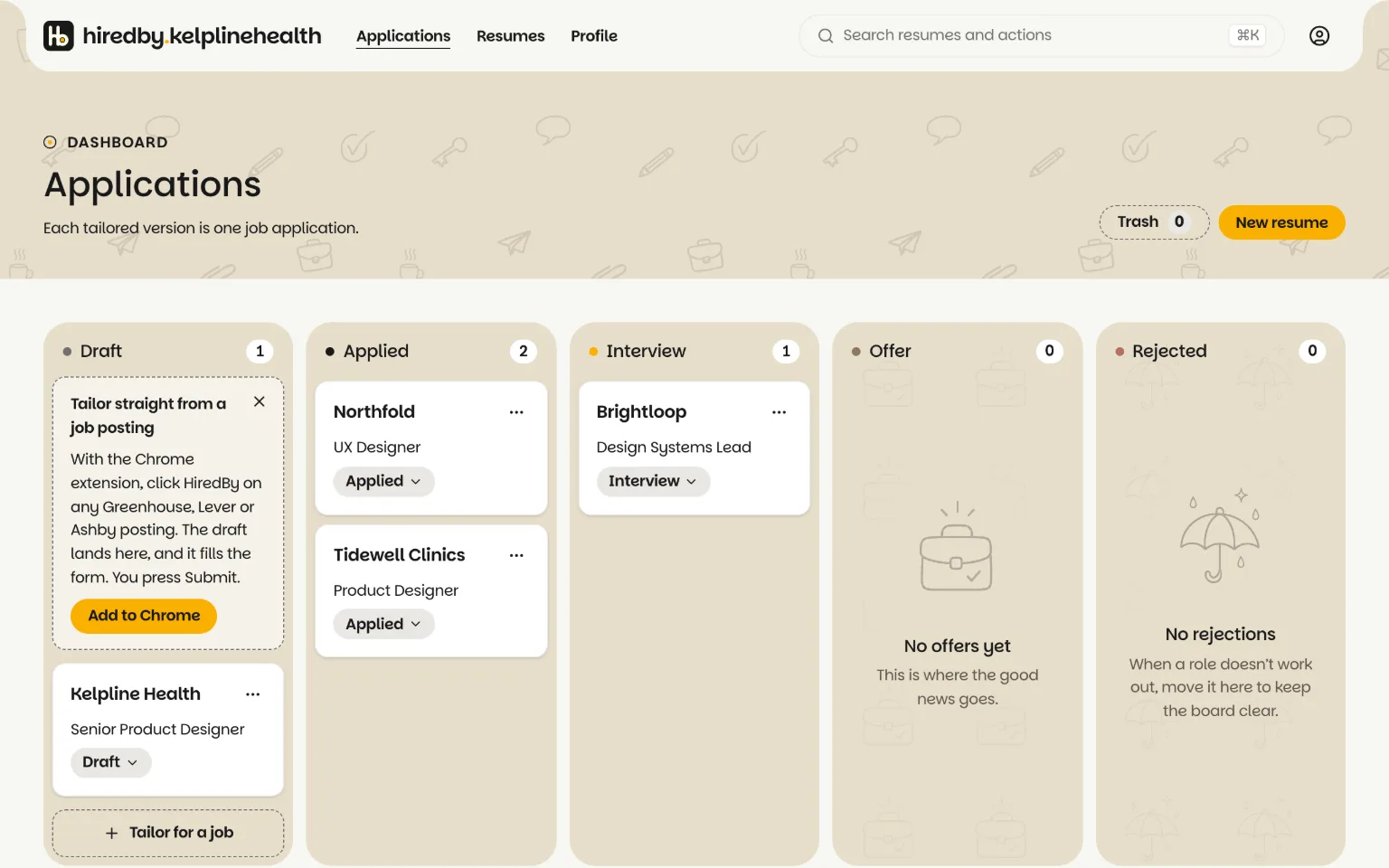
To make one, choose Tailor for a job on a base resume and fill in the offer. The variant’s name starts as the base name followed by the company, for example base-acme; change it if you like. The new variant opens in the editor as a copy of the base, ready to adjust.
- Company and Role are required, up to 120 characters each. They label the variant on the dashboard and in the editor.
- Link is the job posting, an http or https address. It shows as a Job posting link that opens in a new tab.
- Notes are for anything worth remembering, up to 5,000 characters: who referred you, what the posting stresses, the keywords to echo.
In the editor, the job chip next to the resume name shows which job the resume is for. A base resume reads Base resume · Tailor for a job, and choosing it lets you make a tailored copy from there. A tailored copy shows the company, its status and how many of its keywords your page uses. Choose the chip to open the job: the Job posting link, the status, the offer fields and the keywords. Changes to the fields save on their own, and the resume itself is untouched. On a phone the job opens as a bottom sheet. Before you have an account, you can check a resume against a posting's keywords in your browser.
Does tailoring change my base resume?
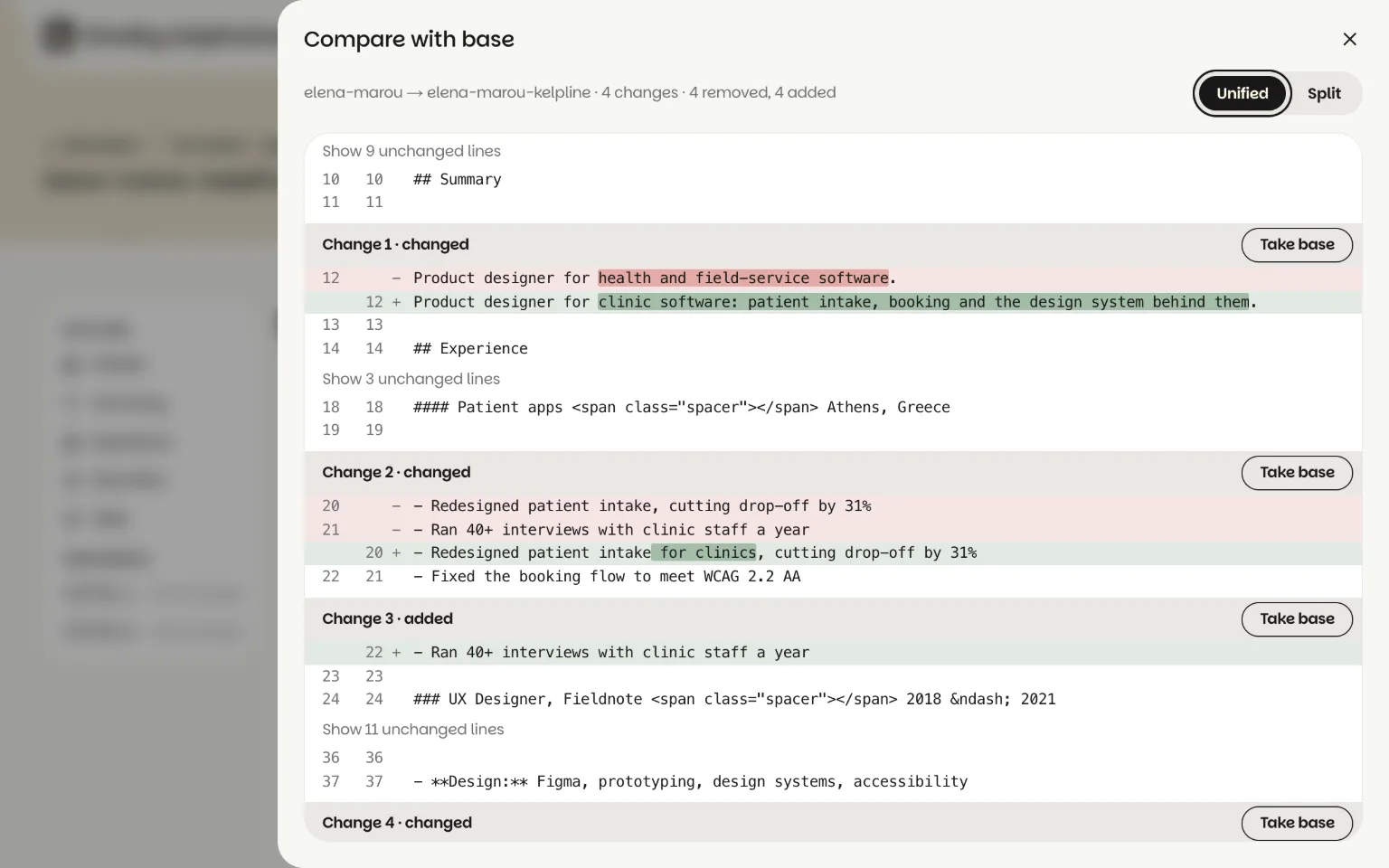
No. Tailor for a job makes a copy and leaves the base as it is, and Compare with base, in a copy’s Export menu, shows every line that differs, with Take base to undo one change.
Related guides
To let AI read the posting and suggest the changes, see how to tailor a resume to a job description. A line like “Why I want to join {OFFER_COMPANY}” fills itself in on every copy with variables, which one resume for multiple jobs explains. When a copy is ready, export it as a PDF.