Markdown resume builder with HTML and CSS
hiredby.app is a Markdown resume builder that runs in your browser: write the resume in Markdown, style it with CSS, and a live preview shows the printed page as you type. Chrome prints the PDF, and a test in our suite reads the file to check that its text is selectable and its links are clickable.
Features
Advanced mode puts three tabs beside a live page preview. Everything on them is free.
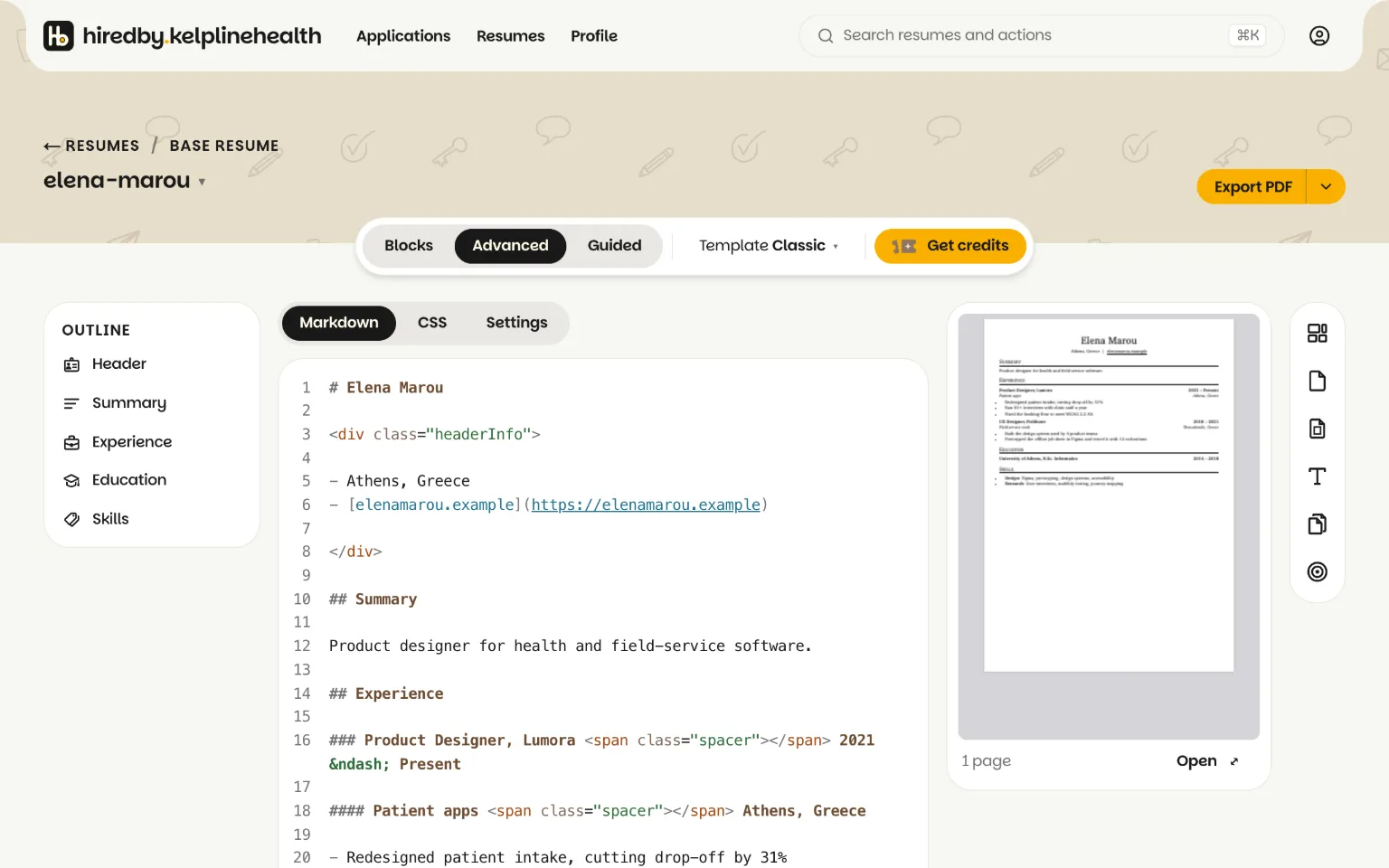
- Markdown tab. Headings for sections and jobs, lists for what you did. Links and bare email addresses become clickable. Inline HTML works where Markdown cannot express the layout.
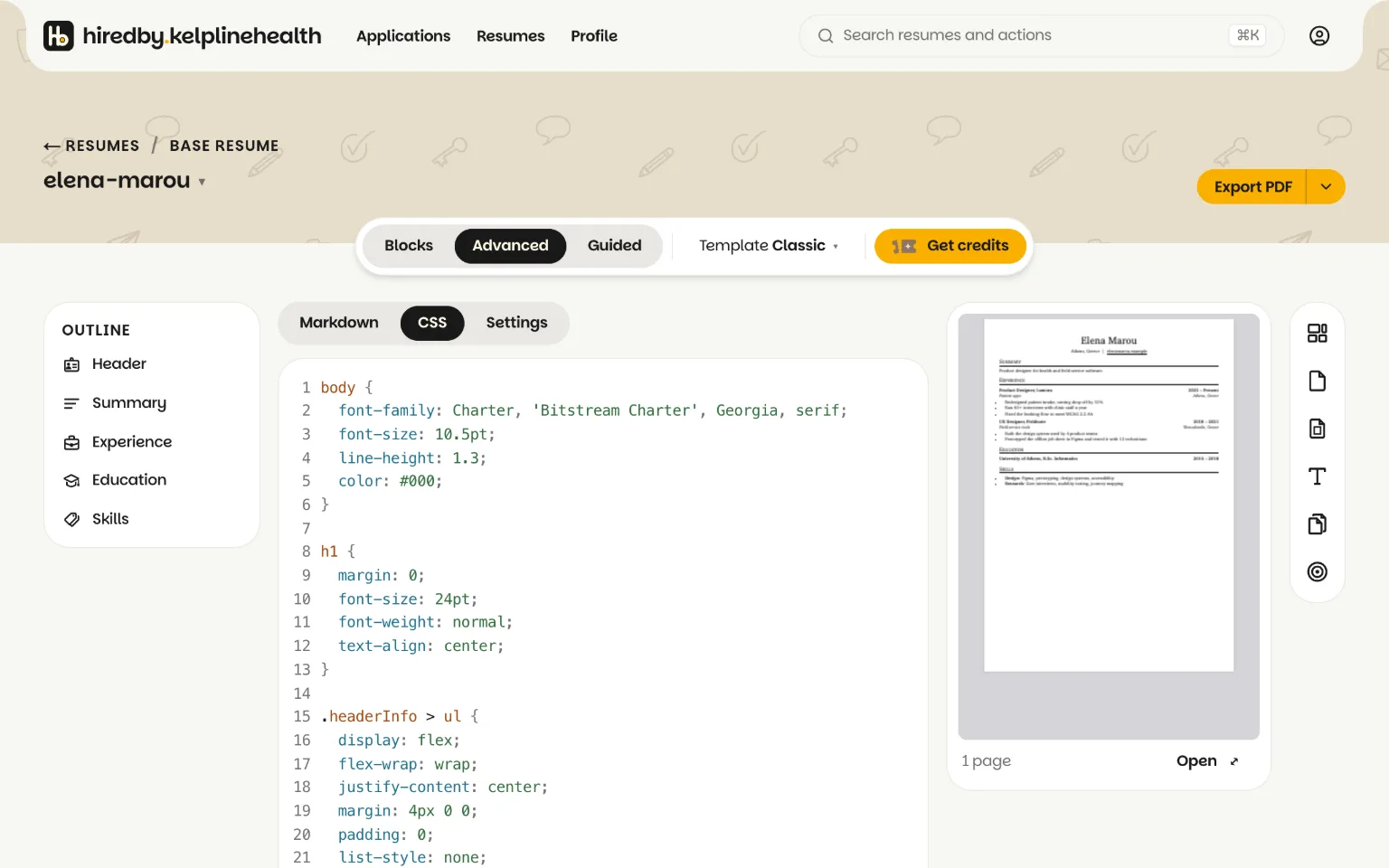
- CSS tab. It starts as your template's stylesheet, and you can change any rule.
- Settings tab. Paper size and margins as
@pagerules. - Live preview. The pages as they will print, next to the source.
- Templates as starting CSS. Each resume template is a stylesheet, and switching one keeps your text.
- Offer variables.
{OFFER_COMPANY}and{OFFER_ROLE}fill in on each copy tailored for a job; the syntax reference has the rest. - Blocks mode on the same files. Drag sections on the page instead, and the Markdown follows. The editor manual covers both.
Quick start
- Create a free account.
- Open a resume and switch to Advanced. Write on the Markdown tab, or start from the resume you have: the import reads a .pdf or .docx of up to 5 MB, for free, 3 times a day. A scanned PDF is a picture with no text in it, so export a text PDF from the program that made it. Coming from Resume.io? Here is how to move your resume from Resume.io.
- Press Export PDF.
Example: a resume in Markdown and CSS
A heading for each section, a smaller heading for each job, a list for what you did there. The span pushes the dates to the right edge.
# Elena Marou
elena@example.com · [portfolio.example](https://portfolio.example)

## Experience
### Product Designer, Acme <span class="spacer"></span> 2022 to now
- Redesigned checkout after 12 customer interviews and two rounds of tests

## Education
### BSc Psychology, University of Example
One rule on the CSS tab colors the section headings:
h2 {
  color: teal;
  border-bottom: 1px solid teal;
}
Do you need to install anything?
No. You write in the browser, and Export PDF prints the file with Chrome on our server, so there is no Pandoc, LaTeX or wkhtmltopdf to install and nothing to update. Your resume is saved to your account, not to one machine.
Export and page settings
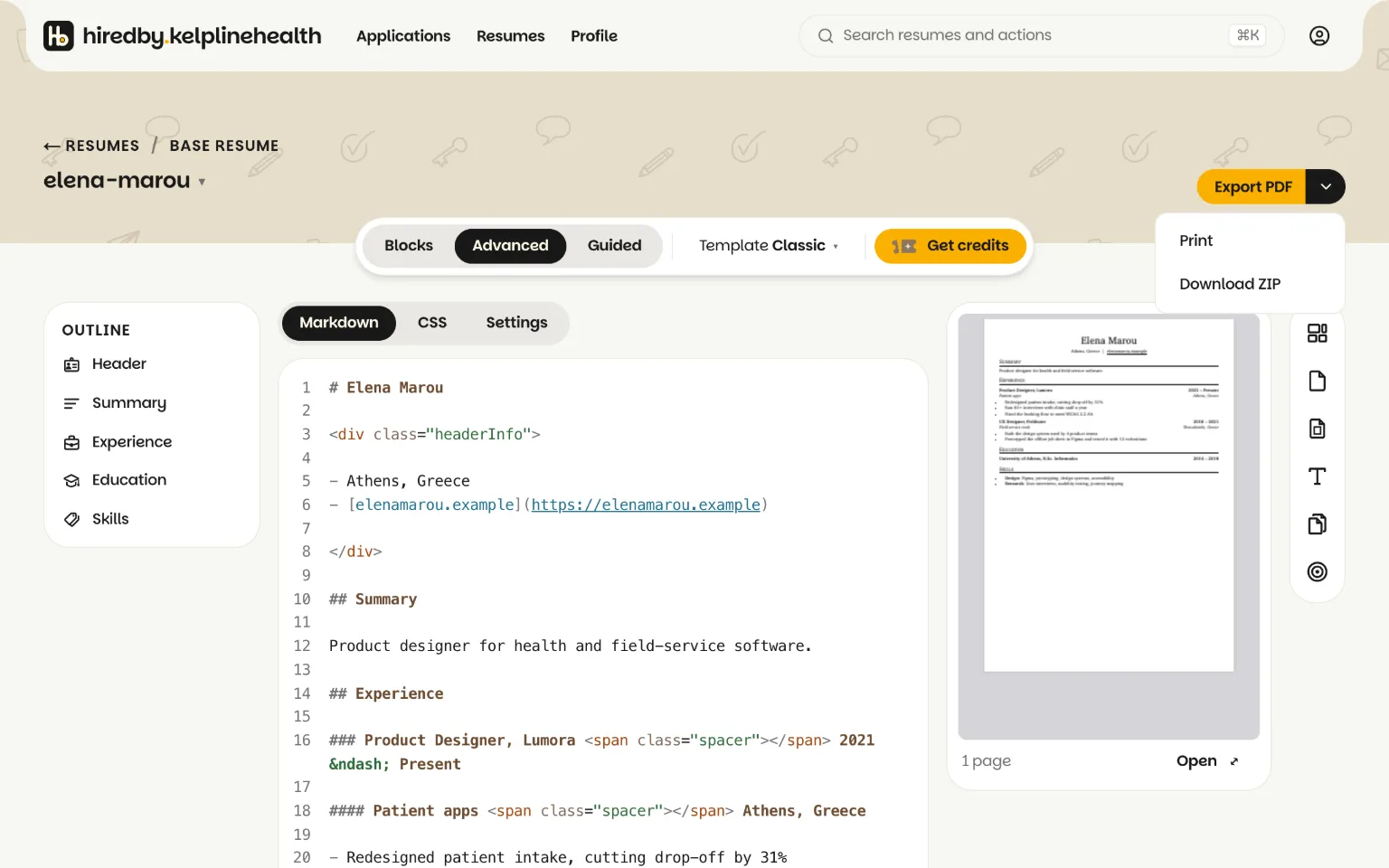
Export PDF saves your changes and downloads a PDF with real text and clickable links. Its menu holds Print, which opens your browser's print dialog, and Download ZIP, which gives you resume.md, resume.css and settings.css as you wrote them, plus offer.json for a tailored copy. All three are free.
The Settings tab holds paper size and margins: A4 or Letter, in inches, centimeters, millimeters or points. Print options set the same things without CSS, along with type size, page numbers and a header and footer line. When the last page is nearly empty, Fit on one page tries smaller margins and type. Print and export covers each option.
A resume at the 100,000 character cap has to print to PDF in under 20 seconds, or our test suite fails.
Limits
- 100,000 characters of Markdown, 50,000 of CSS and 300 resumes per account.
- A base resume that uses
{OFFER_COMPANY}will not export to PDF. The variable fills in only on a copy tailored for a job, so the export stops instead of printing a blank. The ZIP still downloads. - The import reads .pdf and .docx files. It does not read .doc files, images or scans.
- The interface is in English. Your resume can be in any language.